
What is a simulation?
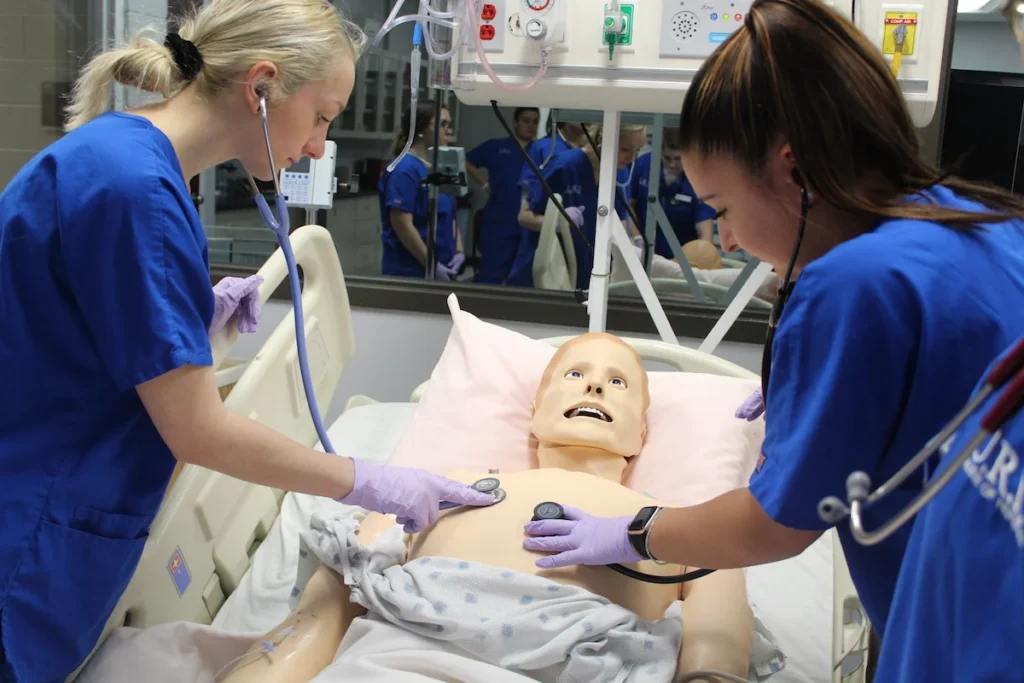
A simulation is a series of tasks carried out to mimic a real-world situation in order for students to experiment, develop skills and aid understanding in a safe cost-effective environment. They enable learners to practice these skills and adapt to different situations developing knowledge required when working in the real environment (Mislevy, 2013). There are several types of simulation:
- Live simulations: A real-life task where participants take on roles and carry out work-related tasks such as a marketing campaign undertaken by business students. Live simulations may also include observers.
- Virtual simulations: This includes the use of virtual reality (VR) and augmented reality (AR). VR is used to mimic specific environments where access to the real world is not possible, for example walking through a crime scene. The participant will normally use a VR headset and be immersed in the environment. AR uses data and visuals, but the participant will remain in the physical environment and may interact using a screen or other device.
- Computer-based simulations: Simulations can also be done using specialised software applications to model situations such as the impact of wind on a building structure. These are typically used in science and engineering.
- Game–based simulations: These can be presented online or live where playful learning is decision making is a key to the success of a simulation.
- Tabletop simulations: This type of simulation involves round table discussions to assess decision making. This is very similar to role-play.
Why use simulations?
Simulations are particularly important in vocational and professional training situations and can be used to provide authentic experiences in a range of different disciplines enabling learners to make mistakes without consequence which can be used as a learning experience (Duchatelet et al., 2022).
- Learning by doing is one of the most effective learning techniques. Learners can develop and practice skills in a safe environment. This is particularly important where errors can lead to harm such as patient safety for student nurses. In a simulated environment, failures or mistakes can be corrected.
- Budgetary and time constraints mean modelling outcomes using computer software before going into production or operating in a live environment is extremely cost effective.
- Providing an immersive environment, whether virtual or real, enables participants to experience the many factors which impact on decision making for that situation, for example dealing with extreme weather, angry bystanders or multiple casualties at an accident.
- Feedback is often immediate from observers or from system outputs.
Tool/Software option
There are a number of modelling simulation applications available through AppsAnywhere which are of use to science and engineering departments including: Wave; Ansys; Autodesk and Simcenter.
The Blackboard AI Conversation Tool can be used for role-play questioning which although not strictly simulation, does have some benefit in preparing students for live or round table simulations.
Practical tips and considerations
Simulations are one of the more complex learning/assessment activities and need careful thought before being used.
- Live simulation activities can take a long time to create and set up, for example if a realistic virtual reality environment is to be created and designed. Scaffolding may be required for learners who are nervous about taking part in simulated activities.
- They can also be difficult to assess, requiring observation or video evidence. During simulations learners may take very different decisions leading to very different outcomes all of which may be viable and therefore comparison between learners’ achievements can be difficult to measure.
- Simulation activities can be expensive if a specific environment is to be replicated. Equipment such as VR headsets need to be purchased, or computers and photocopier for a model office. However, round table simulations require little expenditure, perhaps just copies of balance sheets and sales projections to discuss.

Tips for accessibility and inclusion
- Ensure that the simulation brief is clear and given out in advance of the activity to ensure everyone has an opportunity to think about the activity and make any necessary preparations.
- Instruction and practice may need to be given if using online simulation software or physical equipment so build this into your teaching time.
- Clearly link objectives to the activity giving examples of where these skills will be applied in the real world.
- Where possible, present information in a range of stimuli, e.g. visual, auditory, written and physical.
- Start with simple simulations, e.g. practice resuscitation on a mannikin (simple simulation) to build confidence and skills before presenting learner with an accident scene with ‘patients’ where more decisions have to be made (complex situation).
Further information
How-to guide
Resources
Case study
References
- DUCHATELET, D., JOSSBERGER, H. & RAUSCH, A. (2022). ‘Assessment and evaluation of simulation-based learning in higher education and professional training: An introduction’. Studies in educational evaluation [Online], 75101210 Available at: https://www.sciencedirect.com/science/article/pii/S0191491X22000876 [Accessed 19/02/2026].
- MISLEVY, R. J. (2013). ‘Evidence-Centered Design for Simulation-Based Assessment’. Military medicine [Online], 17810S. 107–114 Available at: https://cresst.org/wp-content/uploads/R800.pdf [Accessed 19/02/2026].